
World Actions
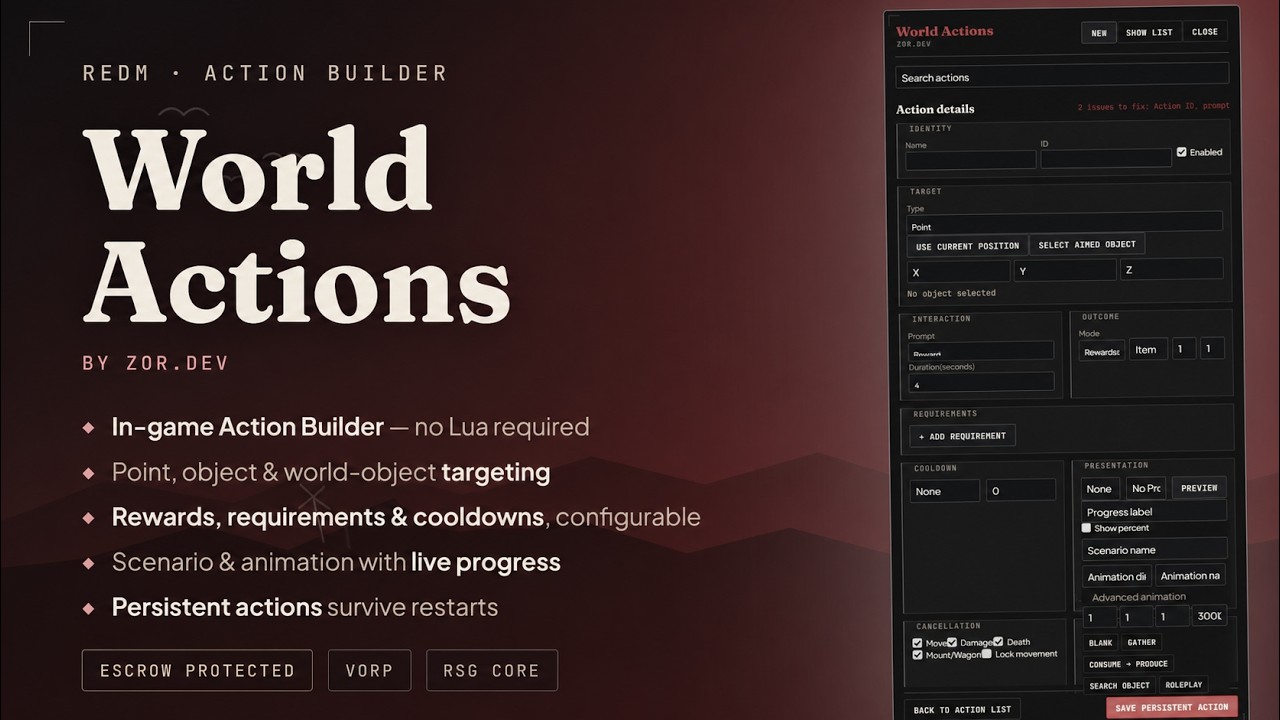
Server-authoritative RedM interactions, built in-game — no Lua required. Point at a spot, aim at an object, or pick a networked prop, then set requirements, rewards, cooldowns, and presentation.
Build · Validate · Present · Persist
In-game Action Builder
Create actions where players use them: at a point, on a networked object, or against a world object. Configure required items, rewards, cooldowns, cancellation rules, and the interaction flow — no Lua, no restart.
The server decides
Clients request intent; the server independently checks identity, target/anchor distance, timing, requirements, inventory capacity, cooldowns, session tokens, completion, and reward transactions. Builder access is gated by the single worldactions.manage ACE permission.
How it feels in play
No presentation, minimal prompt, bar, or circle progress. RDR2 scenarios or custom animation dictionaries. Cancellation on movement, damage, death, or mount/wagon entry. Player and shared-location cooldowns.
No database
Build and edit actions live, or ship read-only defaults in config.lua. Builder-created actions persist to data/actions.json with an automatic backup — no schema, no migration.
Three steps to a live action
Open the builder
Run /worldactions in game with the worldactions.manage ACE. Pick a target: a fixed point, a networked object, or a world object.
Configure it
Set required or consumed items, a fixed/ranged/rewardless outcome, a cooldown scope (player or shared-location), and how it should look and feel — a scenario, a custom animation, and a prompt or progress style.
Save and play
The action is live immediately — no restart. It persists to data/actions.json with an automatic backup, or ships as a read-only default in config.lua.
The client only ever requests intent
No lifecycle controls, no stop command, no polling loops, no reward trust delegated to the client.
VORP Core and RSG Core
Support is stated only for frameworks with a passing QA session. Pick one in config.lua; both bridges ship in the package.
| Requirements | RedM server · VORP Core or RSG Core · ox_lib for RSG |
| Editable | config.lua, locale table, example actions |
| Escrow-locked | client and server logic |
Up and running in five steps
Install the delivered build via Cfx Escrow.
Select vorp or rsg in config.lua.
Ensure the chosen core (and ox_lib for RSG) load before worldactions.
Grant admins the worldactions.manage ACE permission.
Run /worldactions in game to open the Action Builder.
Known limitations
- VORP Core and RSG Core are the only supported frameworks.
- World-object matching depends on the object being loaded client-side nearby.
- Scenario/animation reliability can vary with terrain and location.
- Runtime cooldown state resets on server restart (persistent actions do not).
- Import/export and persistent depletion mechanics are not included in this release.
Version history
What you can change
config.lua, the locale table, and the example actions are yours to edit. Client and server logic are Cfx Escrow-protected and are not editable — there is no separate "unlock" tier or second SKU.
Before you buy
Do I need both VORP and RSG installed?+
No — pick one in config.lua. Both bridges ship in the package, so nothing needs reinstalling if you switch later.
Does this need its own database?+
No. Builder persistence is a flat JSON file (data/actions.json) with an automatic backup — no schema, no migrations.
Can players break an action by disconnecting mid-way?+
No — the server is authoritative throughout. A dropped connection just leaves the action incomplete; nothing is granted or consumed until the server confirms completion.
What happens if I set an invalid config?+
Startup fails closed with one clear error message identifying the problem — no partial initialization, no silent misbehavior.
How are refunds and the licence handled?+
Delivery is a Cfx Escrow RedM Asset and is final once granted. Refund requests go through Tebex's own process via the order thread. One purchase covers the buyer's own server(s); redistribution or resale of the delivered files is not permitted. See the full refund & licence page.